
GA Lite for every site's traffic, search and realtime data — one dashboard.
Connect Google Analytics, Search Console and Bing Webmaster once in GA Lite. See every site's numbers side by side, share any dashboard with a link, and let your AI read it all through MCP.
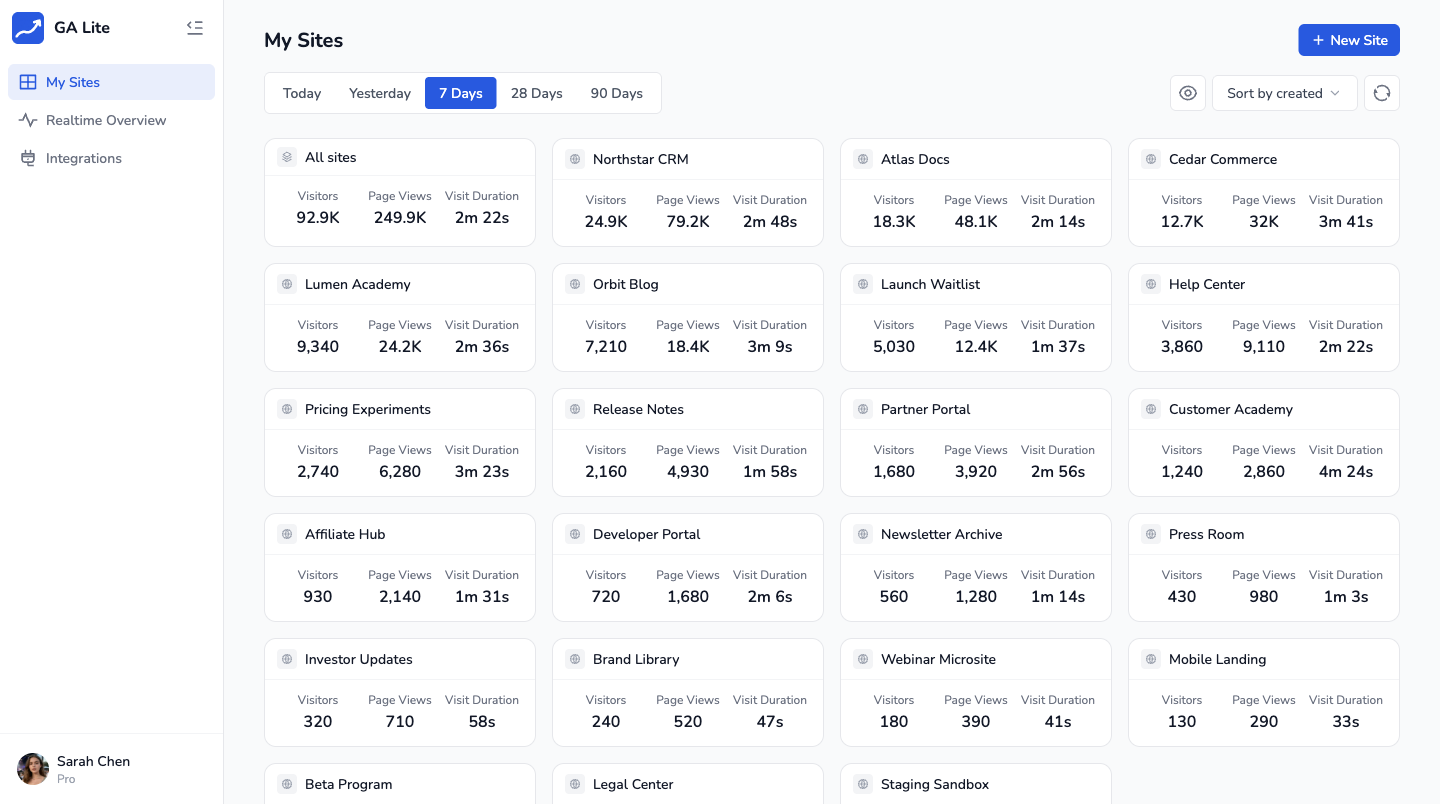
Works with
 Google Analytics 4
 Search Console
 Bing Webmaster
Everything GA Lite gives a multi-site analytics desk, without the tab switching
Multi-site overview
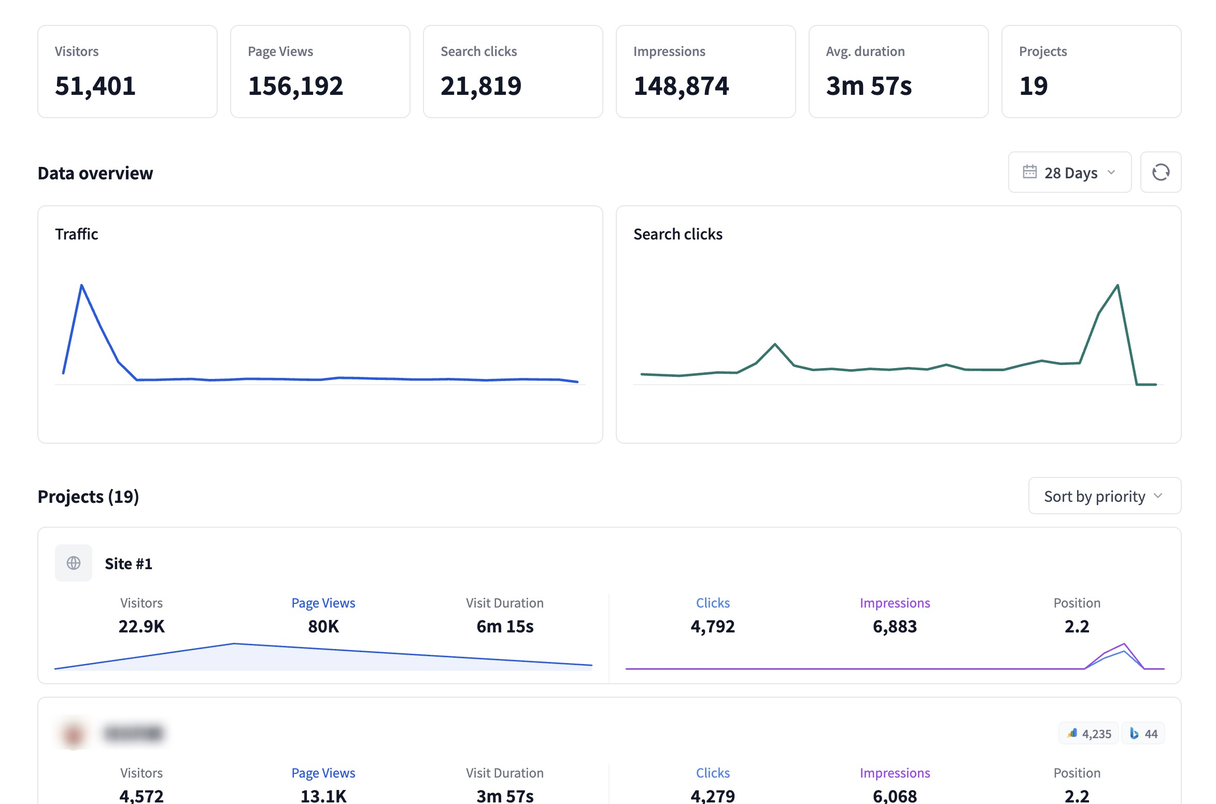
In GA Lite, see Site Data and Search Data together for every project, with the numbers that changed since the last period.
Search performance
Bring Google Search Console and Bing Webmaster into one search view: clicks, impressions, CTR, position and top queries.
Realtime map
Watch active users across all sites, then see where visitors are coming from on the global map.
Shareable dashboards
Publish a public homepage, hide site identity in anonymous mode, or protect dashboards with a password.
Funnel reports
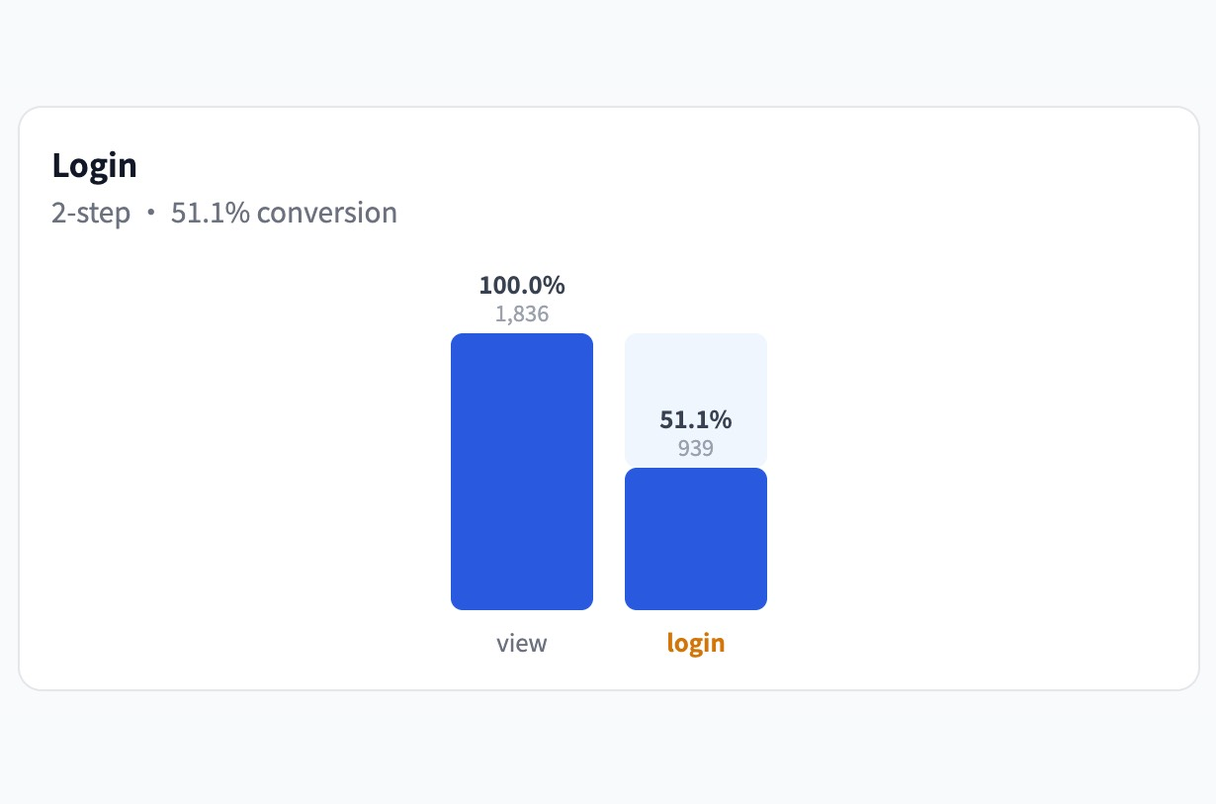
Build 2–5 step funnels from pages or events already collected in GA4, then spot the biggest drop-off.
MCP for AI
Let Claude, Cursor or any MCP client read your analytics through a remote endpoint after one browser approval.
Connect every account once
GA Lite pulls Google Analytics properties, Search Console sites and Bing Webmaster sites into one integration desk.
- Use OAuth for multiple Google accounts and an API key for Bing Webmaster
- Sync all sites each account can access
- Reconnect in one click when a connection expires
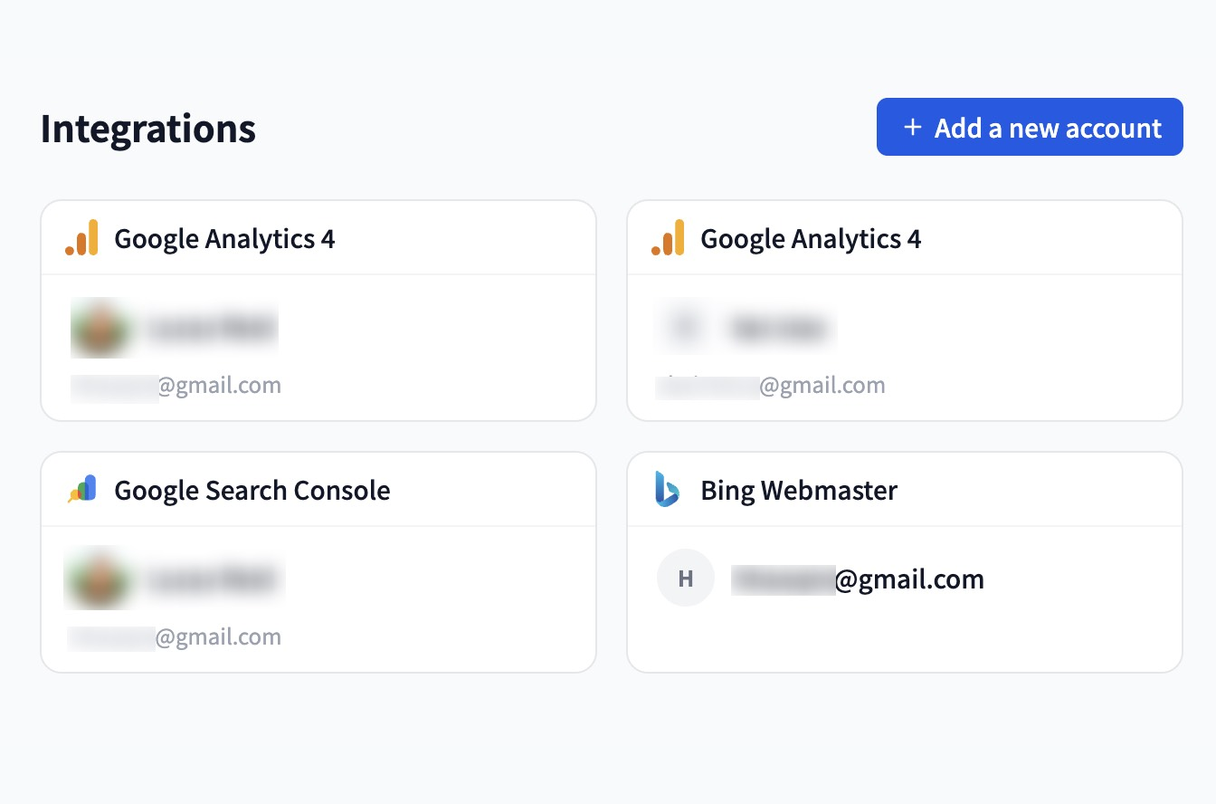
GA Lite puts every site's traffic and search data side by side
Each GA Lite site card shows Site Data and Search Data together, so traffic changes and search changes stay in the same conversation.
- Visitors, page views and engagement next to clicks, impressions, CTR and position
- Period deltas make growth and drops visible at a glance
- Switch between today, yesterday, 7, 28 and 90 day ranges
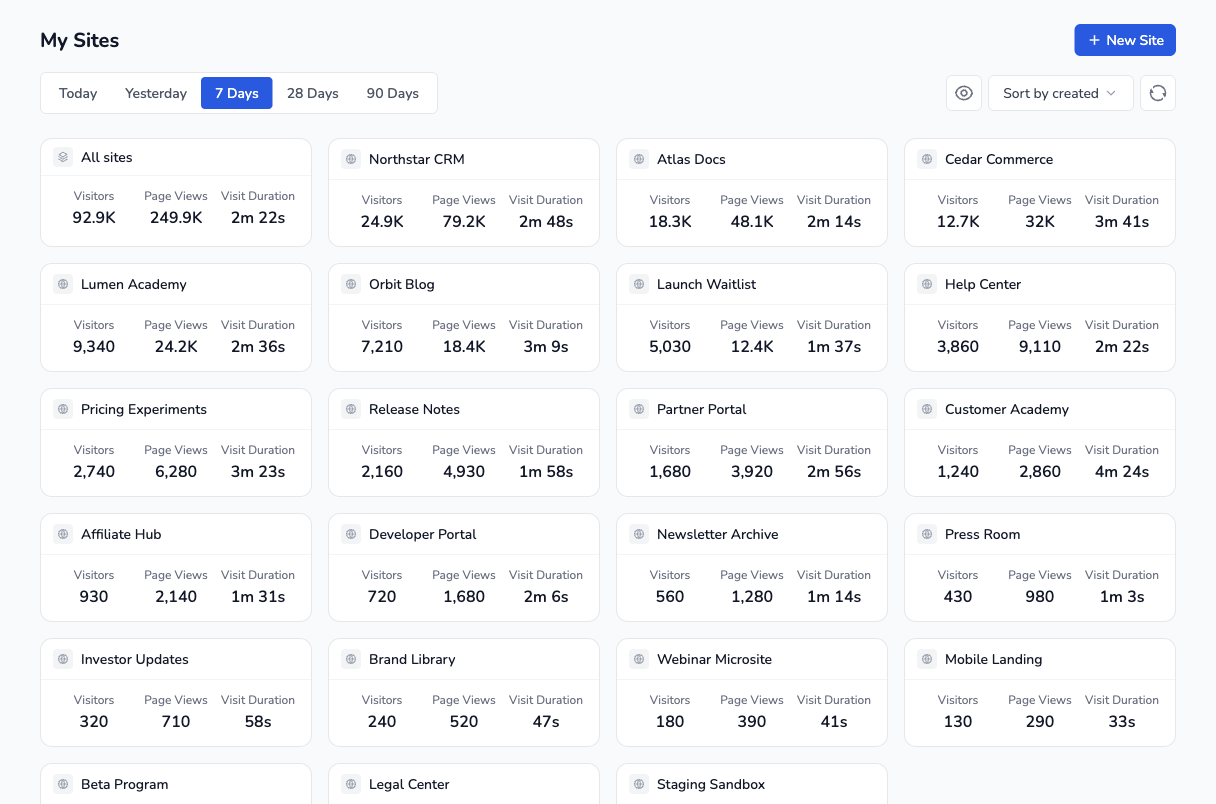
See live visitors across your whole portfolio
A single realtime view shows active users, site distribution and country data, refreshed automatically.
- Total active users across all sites, plus per-site distribution
- World map reveals where visitors are coming from right now
- Refreshes every 60 seconds without manual reloads
Share the dashboard people should see
Turn your analytics into a public homepage or a private link without exposing more identity than the audience needs.
- Public profile page with basic site data
- Anonymous mode hides site identity while keeping useful metrics visible
- Password protection for dashboards meant for a limited audience
Find the step where visitors drop
Build lightweight funnels from GA4 page or event data, then review where conversion drops.
- Track 2–5 steps using page paths or event names
- Highlight the biggest drop-off step automatically
- Uses page and event data already available in the connected GA4 property
Read GA Lite analytics with AI
Add the GA Lite MCP endpoint to Claude, Cursor or any MCP-aware client and ask questions about traffic, search, realtime and funnels — no install, no SDK.

Claude Code

Cursor

Gemini

Perplexity

OpenCode

OpenClaw

Codex

Hermes
Simple, transparent pricing
Core features are free to use. Upgrade to unlock more features.
Free
- Unified dashboard
- Public homepage
- MCP connection
Basic
17% off- Unified dashboard
- Public homepage
- Custom username
- MCP connection
Pro
58% off- Unified dashboard
- Public homepage
- Custom username
- MCP connection
- Data funnel features
Frequently asked questions
What is GA Lite?
GA Lite is a multi-site analytics dashboard for Google Analytics, Search Console and Bing Webmaster. Connect your accounts, see traffic and search performance on one screen, share selected dashboards, and let AI read the same data through MCP.
Does GA Lite work with Google Search Console?
Yes. Alongside Google Analytics (GA4), GA Lite connects Search Console and Bing Webmaster, then shows clicks, impressions, CTR, average position and top queries next to your traffic data.
How is GA Lite different from opening Google Analytics directly?
Google Analytics shows one property at a time. GA Lite aggregates GA4 properties, Search Console sites and Bing Webmaster sites across accounts into one portfolio view, and exposes the same data to Claude, Cursor and other AI clients through MCP.
Can I connect multiple Google Analytics accounts?
Yes. Sign in with as many Google accounts as you need; GA Lite imports every GA4 property and Search Console site you can access, and you can add Bing Webmaster with an API key.
Is GA Lite free?
Yes. Connect Google Analytics, Search Console and Bing Webmaster and view your data in the dashboard, through MCP, or via our API. Free forever for personal use, no time limit and no credit card.
Is my analytics data safe?
Yes, your analytics data is safe. GA Lite reads the numbers needed for your dashboard and cached reports. You can disconnect providers anytime, and public sharing only uses the visibility settings you choose.
Can AI read my analytics through GA Lite?
Yes. Add GA Lite’s MCP endpoint to any MCP-aware client — Claude Code, Cursor, Cline, Perplexity, Gemini and more — approve access once in the browser, and your AI can read your analytics directly.
Can I share my analytics publicly?
Yes. A public profile can show social account links and public basic site data; you can also use anonymous mode to hide site identity or protect a specific site with a password.
What data do funnels use?
GA Lite uses the page and event data already available in your connected GA4 property. Each funnel card supports 2–5 funnel steps.
Does it work with Bing Webmaster Tools?
Yes. Add your Bing Webmaster API key and GA Lite syncs those sites, then shows Bing search data beside Google Search Console data.
Does GA Lite store my analytics or search data?
GA Lite does not store your site analytics or search performance data long term. Some features temporarily cache aggregated results for up to 24 hours.
Connect your traffic, search, sharing and AI workflow with GA Lite in under 60 seconds
Free to use, no credit card.